How many of you love the idea of STEM but are nervous about what it will look like in your classroom? Scared about finding activities? Worried about getting the materials and about the cost of the materials?
Well, my teacherfriends, Carson Dellosa has done it again!!!! I love this company and all that it creates for teachers! I always have! But their STEM box is amazing!!!
They have created a group of STEM lessons just for us! This box has 30 Lessons ( 10 lessons for physical science, 10 lessons for life sciences and 10 lessons for earth science) and they are all for grades 2 to 5 but my first graders could do them with a little changing of the directions (a little more explanation or different vocabulary at times)!
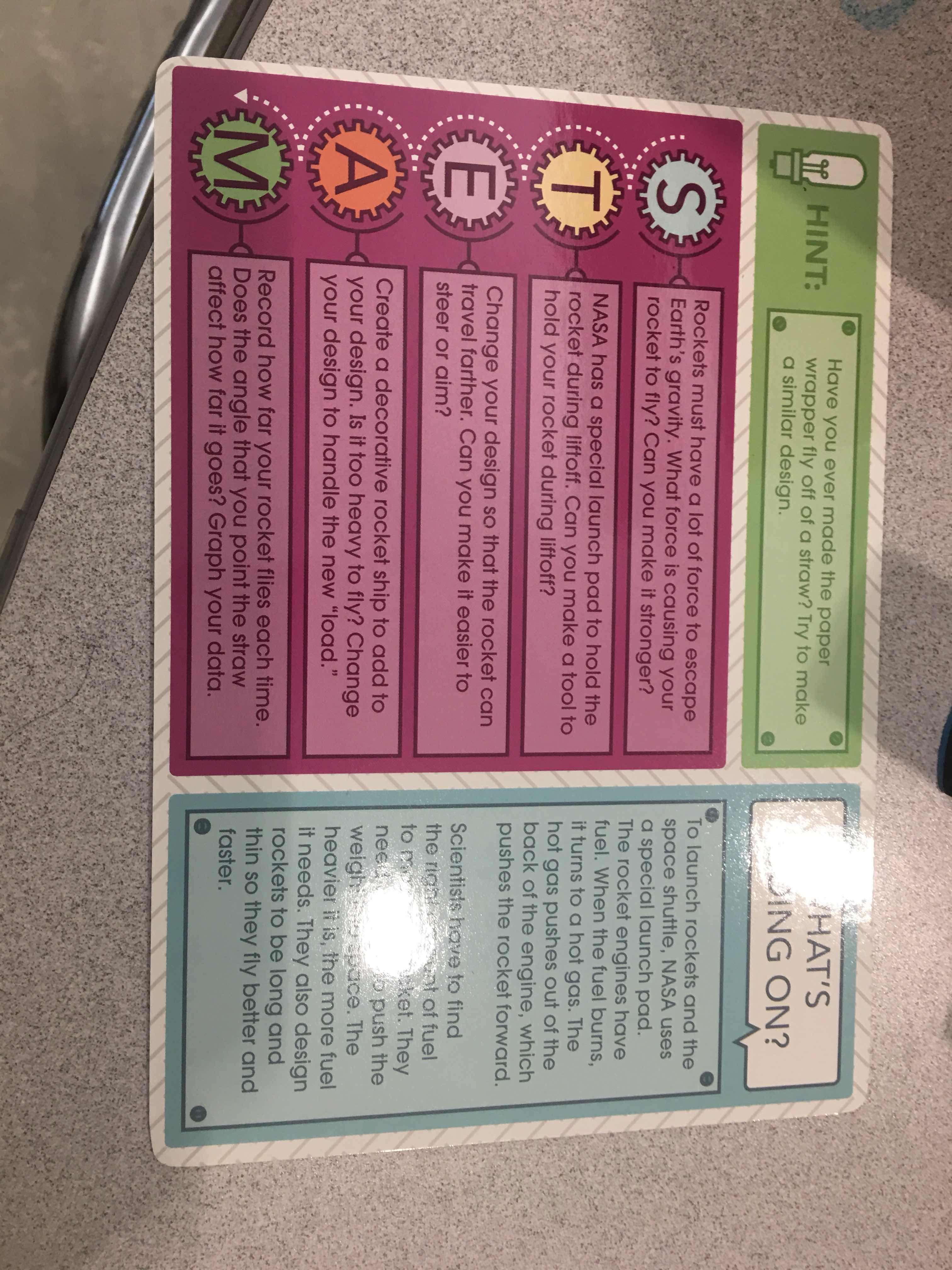
These lessons come on laminated cards with the visual list of materials needed on the front! All materials used are found in classrooms and schools so we do not have to go into debt to supply our kids what they need in order to complete these activities! The challenge is also listed on the front! These activities are kid friendly and can be used independently, small group or even whole group!! There is so much flexibility with this product!!!
The cards are laminated for durability and on the back of each card are questions in each area to ask your students to extend their learning!!! There is also a little more information about the science behind the activity!
I used these cards as whole group activities at first! I did this just to familiarize them with the cards and what my expectations were when they were completing them! After we did two as a whole group then I let them choose activities as a small group! Once I was comfortable with them completing them as a small group, I have put them out to use independently when they are done with their work. I also use them on science days as an activating strategy, the lesson or a science day wind up!
This stem kit is amazing and I highly recommend it for any Classroom!
As most of you already know, I absolutely love Hue products. I learned about them from the very first French Lick Teacher Blogger Retreat I attended 3 years ago! Their products are amazing!! The first product I ever used was the Hue Projector Camera. It is a document camera! I love it and I use it when I Skype. It is flexible, easy to use and the picture is so clear. I love how easy it is to use! Here I am using it to Skype with my dear friend, Rocking Dan in Australia.
The next camera I used and am absolutely in love with is the Hue Animation Camera! This camera is amazing! It comes with a great book to read and become familiar with your camera as well as the process!
Here is what you will get in your box!!!!!!
After I read the book and I suggest reading the book beforehand because it is a great resource, I searched youtube to see what others have done just to get an idea and to make sure I truly understand the process myself. Then I made a smart board presentation to share with my kids! This is a great tool to teach adults as well. My student teacher used this as a guide for her project!
The smart board and the power point presentation (in case you do not have a smart board) are below! Just click on the pics below for the presentation to download and use in your class room!
1. I went through the smart board presentation! We reviewed all the parts of the camera, the different roles that they would have , all expectations of behavior and how to properly treat the camera, and we watched a video (included in the presentation) on how to take pictures.
2. After we went over the presentation and reviewed all the different roles they will have, my kiddos split into production teams and began their journey into making a movie about their why they love their family! They were given charts to fill out and share their reasons with their table mates.
3. Then they got together as a class and took all their materials (notes, pictures, etc) and put it in the order they wanted their movie to be in. Now I have first graders and they just loved this activity!!!!
4. Once they had everything the way they wanted it, the movie production began. They set up the camera and had the view they liked. They took the pictures and they did the narrating. All we did was assist when they asked for help and made sure things ran smoothly!
5. When we have our movie completed and we have exported it, we have three choices: Creatubbles, YouTube and QuickTime.
Creatubbles is an awesome new site that have partnered with HUE. It allows us to upload our Hue Animation Movies to a site that is safe for our kids to use and upload their creations to. It will give their creation a link to share with their friends and family so they can all enjoy their creations!
Here are just a few things we found to be helpful when making the movies:
- take several pictures of the different objects or drawings- this will give you a good amount of space to add narration. We found that it is best to take about 11 different pictures and set them at 1.00.
- make sure it is really quiet around the camera and computer. It does pick up other noises.
- save it as you go along.
- If they are going to use illustrations, we found that the brighter the pictures the more vibrant their movie is! My kiddos used Kwik Stix paint sticks!
Here is the movie they made! I love this for their first one! They are going to make another one this semester and I will post it for you when they do! Click here for the link to their movie!
Here is a video of me teaching one of my classes about how to use this awesome camera!
The last product I want to share with you is the tablet stand! This is amazing! It attaches to your small group table (any table really I just use it at my small group table) and holds your tablet. The arm is movable so you can show your tablet in a variety of positions. It can also be used with your students so they do not have to hold the tablet while they are using it. I love this. It makes my sight word review during small groups more efficient!
Here is what it looks like!
I love these products and I have an exciting giveaway to share with you! Hue has given me all three of these products to giveaway to one of my lucky readers!!! So please enter the rafflecopter below to enter and win this tech pack!!!
I love ESGI! It saves me over 400 hours per year! What can you do with an extra 400 hours during a school year?
So what is ESGI? It is an assessment tool that allows you to assess your kids online! That's right online paperfree!!!
My firsties love it! They beg to be assessed!!! I love it because I can assess for report cards in one day! I can give formatives throughout my unit and not worry about excessive amounts of paper and grading! That's right! It grades it for you as well!!!
You can make an assessment that is aligned with exactly what you are doing or you can go to the test explorer area and find one there! There are 100s to choose from!!
Differentiation has never been easier! We complain about having to differentiate our instruction but assess the same, no longer! You can create assessments based on your kids abilities!!
Need assessment and data points for your IEPs?! Go no further! You can create your own in ESGI and print off the results and bring it to your IEP meeting! Progress monitoring has never been easier!
But it gets better!! Parent communication is a breeze with ESGI!! You have the ability to print off parent letters for each child with the assessment data and what needs to be a focus! There are flash cards that are also available to print off to send home so the parents can help your kiddos at home!!
This is truly an amazing and a can't live without program!
Or by clicking on my button on the sidebar for ESGI, you will be able to get a free trial period but not for only 60 days! You will be able to use ESGI for free until August 31, 2017! That is 5 months! At the end of the five months if you can't live without it (which you won't be able to) then you can get it for the promotional price of $159!!!
Also! You will be entered into their Pot of Gold giveaway! They are giving away a mystery prize! Announcement of the winner will be made on April 11,2017!
So what are you waiting for click for you free trial period and you will soon have to figure out what you are going to do with an extra 400 hours per school year!!
Flipped classrooms is the "in" thing right now. When I was at ISTE n Philadelphia this past month, a lot of the sessions were centered on the flipped classroom. Before I say I am for or against the flipped classroom, I must do my own research, so I am hosting a book study with two other amazing educators, Maggie from Maggies Kinder Corner and Jonna from The Primary Life, on the book, The Flipped Reading Block written by Gina Pasisis. This book has been informative and amazing so far! It is geared towards the upper grades but I have been able to relate it to use in my first grade classroom. If you have not seen this book and would like to get it to read along with us, please click on the book below!
I am new with the flipped learning and I am just getting my feet wet. I have created and used with some of my kids a blended learning space on Spiders. This was a home school connection project and they really enjoyed it. i received some feedback from the families and I will definitely create and implement more blended spaces as this school year goes on.
Right now, I use all modes of communication. I use Class Dojo (I Love Class Dojo). Class Dojo is a behavipr management system that the parents can log in and see how their child is doing throughout the day. it has a chat feature so they can send me notes and I can do the same. A great communication skill. But this program also has a feature where I can print out the reports an send them home to families who do not have access to a computer. I still send home the notes and binders so I am sure all parents are being communicated with. Another feature I use is Remind HQ. This is a texting feature where I can text reminders to my families.
Click on the spider below to go to my Spider Blended Space:
The blended learning approach will extend the learning that is happening in my classroom. It will also get the parents involved and they will be able to experience the activities with their children. It is a great way to make homework fun and interactive not just a worksheet! Not only will it benefit them at home, but in the classroom as well. In many classrooms, the teacher spends so much time talking as a matter of fact they do most of the talking. This can be very boring at times. I believe that having more of a blended approach will provide all students the chance to be successful. It will be a multi-modality approach!
Technology is an obstacle. There are many families who still do not have a home computer. Yes, they have Smart Phones but not all have computers. This causes a problem for the children to be able to participate. Another obstacle is getting the parents to understand the importance of the activity. Many will think it is something that does not need to be watched or will allow the students to just peruse and not really listen or do the follow up activities.
I will have an area set up in my classroom where these students can work on this during the day during small groups. i will also allot time during the week for those student to be able to work on these activities and watch the videos. before this area is set up and planned for, I will be sending home a technology survey so I will have a better idea on how many students will need to access this and how large of an area I will need.
I believe that all strategies should be modeled in a flipped lesson format. I believe this because this will allow them to practice more at home and will provide the parents with a guide and will improve their understanding of what is expected and is being taught in the classroom. I believe that this will be a great way to increase the reading skills of my students!
Here are my thoughts on these two great chapters! Now click on the links below to see what my book study partners have written!!!